

Every day, thousands of content creators post raw, unedited videos that get scrolled past in seconds. Most creators do not lack good ideas; they simply lack the time to cut out silent pauses, add engaging text captions, or design clear, high-contrast thumbnails. Learning CapCut video editing alongside Photoshop thumbnail design helps bridge this exact gap. By combining these two complementary tools, you can build a versatile Fiverr service that provides complete visual solutions for creators, coaches, and small businesses.
Visual Editing Tool Comparison
Tool
Core Capability
Export Standards
Typical Freelance Use Case
CapCut Desktop
Timeline Assembly, Pacing, Text Overlays
MP4, MOV (1080x1920, 4K)
TikTok, Instagram Reels, YouTube Shorts editing
Adobe Photoshop
Layer Masking, Raster Editing, Typography
PNG, JPG, PSD, WebP
Custom Thumbnails, Channel Graphics, Visual Covers
Canva (Baseline)
Template Layouts, Drag-and-Drop Graphics
PNG, JPG, PDF
Quick Mockups, Basic Social Media Graphics
The Dual-Software Advantage: Why Desktop Video Tools and Photoshop Work Well Together
Shorts, Instagram Reels, and TikTok require consistent content output. However, busy creators often face a major bottleneck: video timeline editing and graphic design require completely different workflows.
Integrated Production Pipeline
Plaintext
Raw Client Media Input
- Video Track: Pacing → Dead-Air Trimming → Audio Sync → Automated Captions
- Adobe Photoshop Track: Subject Isolation → Exposure Controls → Edge Lighting → Custom Covers
The Shift in Creator Demand
Traditional long-form editing often involves complex software setups and lengthy rendering times. Modern YouTube Shorts editing and TikTok video management focus on rapid timeline pacing, clear visual cues, synchronized audio, and readable thumbnails.
Using a streamlined workflow for video editing alongside Adobe Photoshop for raster design and custom thumbnails gives you an efficient end-to-end production pipeline.
Why Clients Prefer Dual-Skill Editors
When a business owner or influencer hires a freelancer, they rarely want just an .mp4 file. They often look for a complete visual package:
- A custom-designed thumbnail to improve click-through rates.
- Formatted cover stills scaled for social media feeds.
- Clean subject cutouts and balanced graphics.
Offering video editing and graphic design within a single freelance package allows you to position your services as a comprehensive content solution on marketplaces like Fiverr.
Mastering Short-Form Video Production Techniques
Holding audience attention requires removing slow moments and making key information easy to digest. Desktop tools provide intuitive controls for timeline trimming, caption generation, and audio layer management.
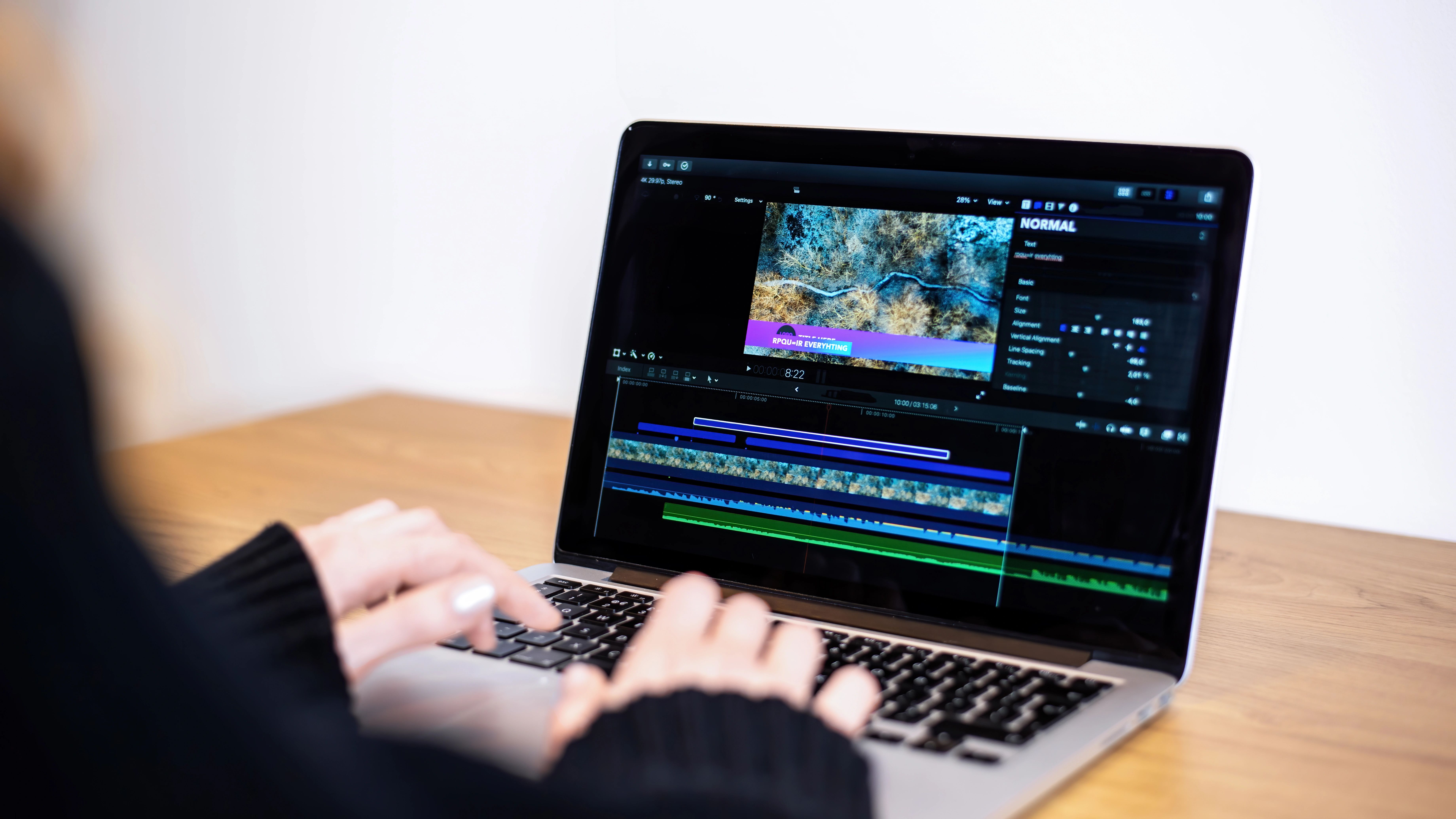
Short-Form Video Production Lifecycle
Plaintext
Hook Stage (0–3s) ── ► Pacing & Dead-Air Removal ──► Text Overlays & Captions ──► B-Roll & Audio Balancing
1. Timeline Pacing and Ripple Editing
Raw footage often includes pauses, deep breaths, and vocal stutters. Removing these gaps keeps the video moving forward smoothly.
- Understanding Ripple Editing: Ripple editing ensures that when you cut out an awkward silence in the middle of a clip, segment positions adjust automatically so no empty spaces remain.
- Keyboard Shortcuts: Use default keyboard shortcuts (such as "Q" to trim from the playhead to the start of a clip or "W" to trim to the end) to clear dead air rapidly.
- Framing Adjustments: Apply subtle scale changes (such as zooming in slightly from 100% to 105%) whenever shifting to a new topic to create visual rhythm.
Timeline Structure Example:
- 0.0s – 2.0s: Primary Visual Hook + Clear On-Screen Text Heading
- 2.0s – 4.0s: Relevant B-Roll Overlay / Graphic Demonstration
- 4.0s – End: Core Narrative + Automated Text Captions
2. Auto-Captions and Typography
Many social media users scroll through video feeds with sound muted. Adding clear, animated text captions ensures your message reaches viewers in any setting.
- Automated Text Generation: Use built-in transcription tools to generate automated captions from voice tracks into editable text layers.
- High-Contrast Formatting: Select bold, clean sans-serif fonts (such as Montserrat or Impact) and add solid text backgrounds or high-contrast accent colors to highlight key words.
- Text Timing Sync: Apply short pop-in animations (around 0.1s to 0.2s duration) synchronized with natural speech pauses to keep viewers focused.
3. B-Roll Layering and Audio Balancing
Continuous footage of a single speaker can feel static over time. Adding context-relevant stock footage (B-roll), sound effects, and soft background music makes the final video far more dynamic.
- Visual Overlay Tracks: Place secondary clips or product screenshots on upper video tracks to illustrate points while the primary audio continues playing.
- Audio Layering Standard Targets:
- Background Music: Keep significantly quieter than the main voiceover (targeted around -18 dB to -24 dB).
- Main Voiceover: Target near -3 dB to 0 dB peak so vocal tracks remain crisp and clear.
- Sound Effects (SFX): Insert subtle audio cues whenever key text captions or graphic overlays appear.
Designing Visual Assets and Custom Thumbnails in Adobe Photoshop
A video needs an eye-catching thumbnail to encourage viewers to click. Adobe Photoshop gives you detailed control over subject isolation, contrast adjustments, and text placement.

Photoshop Thumbnail Assembly Workflow
Plaintext
Subject Extraction ── ► Color & Exposure Adjustments ── ► Background Layering ── ► Typography & Badges
1. Subject Extraction Made Simple
Separating the main person or product from a cluttered background makes thumbnail graphics cleaner and easier to read.
- Object Selection Tool: Use automated selection features to quickly outline your main subject.
- Hair & Edge Masking: When cutting out people, use the Select and Mask workspace with the Refine Edge Brush to separate fine hair details from background colors.
2. Precision Paths and Lighting
Adjusting lighting levels helps your primary subject stand out clearly against background elements.
- Vector Pen Tool: Use the Pen Tool (P) to trace precise vector paths when cutting out sharp objects like tech gadgets or logos.
- Curves & Exposure Adjustments: Use Curves adjustment layers to balance brightness and contrast without distorting underlying colors.
3. Layer Compositing & Edge Lighting
- Adding Edge Lighting: Create a blank layer clipped above your subject cutout, set its blend mode to Screen or Linear Dodge, and paint soft highlights along shoulders using a low-opacity brush to simulate studio lighting.
Photoshop Layer Stack Structure:
- Layer 4: Typography & Badges (High-Contrast Text, Outer Drop Shadows)
- Layer 3: Subject Cutout Mask (Targeted Exposure Adjustments & Edge Lighting)
- Layer 2: Background Graphics (Gaussian Blur Filters, Light Flare Overlays)
- Layer 1: Document Canvas (1920x1080 Resolution)
4. Clear Typography and Layout Balance
Thumbnail text must remain readable on small mobile screens.
- Font Selection: Choose bold, heavy typefaces like Bebas Neue, Inter, or Montserrat Extra Bold.
- Short Headline Words: Keep text brief: ideally 3 to 4 words maximum to spark curiosity.
- Drop Shadows & Outline Separation: Apply subtle dark drop shadows or stroke outlines to ensure light text remains legible against complex background images.
Packaging Your Services into Fiverr Gigs
Once you feel confident offering combined editing and graphics work, structure your freelance services clearly to attract potential clients on Fiverr.
Fiverr Service Tier Structure
Plaintext
Basic Tier ($15–$25) ──► Standard Tier ($75–$120) ──► Premium Tier ($250+)
(Single Edit + Thumbnail) (Multi-Video Bundle) (Monthly Retainer)
1. Pricing Realities & Service Tiers
Freelance pricing varies based on experience, portfolio depth, turnarounds, and client scope. View your rates as adaptable progression milestones:
- Basic Package (Starting Range $15–$25): Ideal for single 60-second video edits with basic auto-captions and a custom thumbnail. This introductory price point helps new sellers secure initial orders and build client reviews.
- Standard Package (Mid-Range $75–$120): Designed for multi-video bundles (e.g., 5 short video edits with matching thumbnails), offering clients better value per edit.
- Premium Package (Retainers $250+): Targeted at ongoing clients who require weekly short-form video edits, custom thumbnails, and channel graphics on a consistent basis.
2. Optimizing Your Gig Title and Tags
Fiverr relies on internal search algorithms. Using clear title phrasing and accurate service tags helps buyers find your listing easily.
- Sample Title Phrasing: "I will offer professional CapCut video editing for TikTok reels and design custom Photoshop thumbnails."
- Target Category Tags: CapCut editing, reels editor, YouTube thumbnail, TikTok video editing, Photoshop design.
Step-by-Step Client Project Workflow
Following a standardized project workflow ensures consistent results and clear client communication on every order.
Phase 1: Asset Gathering & Brief Review
- Objective: Organize source files before editing.
- Action: Download the client's raw video clips, brand style guides, logo files, and preferred fonts. Organize everything into clear project directories (/Raw_Video, /Thumbnails, /Graphics).
Phase 2: Execution & Timeline Assembly
- Objective: Build narrative pacing and visual structure.
- Action: Import media into your timeline. Perform essential edits by using ripple cuts to remove silent pauses, generating text captions, adding visual B-roll overlays, and balancing background audio levels.
Phase 3: Photoshop Thumbnail Assembly
- Objective: Create clear visual hooks.
- Action: Extract high-resolution video frames or open provided headshots in Photoshop. Isolate subjects, adjust lighting levels, apply bold text layouts, and export formatted PNG graphics.
Phase 4: Final Review & Client Delivery
- Objective: Verify technical specs before submission.
- Action: Check audio balance, verify text accuracy against spoken dialogue, confirm export resolutions (1080x1920 for vertical Shorts/Reels; 1920x1080 for standard horizontal video), and upload completed files via Fiverr.
Master Visual Editing Skills with WeVersity
Building a freelance career does not require expensive degrees or complex corporate software setups. By learning basic post-production workflows alongside Photoshop thumbnail design, you gain practical skills that translate directly into services on platforms like Fiverr and Upwork.
If you are looking for structured learning, explore digital skills training on platforms like WeVersity.org. You can enroll in relevant courses, complete module assessments where available, and earn certificates upon completing eligible courses to build your freelance service portfolio.