

Learning how to use Claude AI effectively has become essential as AI platforms transition into multi-functional workspace assistants. Developed by Anthropic, Claude functions as a reasoning system designed for document processing, application prototyping, multi-step problem solving, and workflow management.
Whether analyzing financial statements, generating functional web tools side-by-side, or organizing team operations, mastering how to use Claude AI for work enables professionals to execute complex tasks efficiently. This guide outlines setup procedures, core model options, workplace application workflows, and prompting frameworks. To expand your broader technical capabilities, explore our practical free technical courses designed for career skill-building.
What Makes Claude AI Unique for Workplace Productivity?
Claude AI stands apart from other commercial platforms due to Anthropic’s foundational safety architecture: Constitutional AI (detailed in Anthropic's Constitutional AI Research Paper). Rather than relying solely on direct human rating feedback, Anthropic trains Claude using predefined rules focused on safety, helpfulness, and adherence to user instructions.
The Claude Model Lineup & Interface Context Windows
Anthropic provides distinct model options to balance reasoning performance, execution speed, and compute limits across different product surfaces:
Model Version
Core Positioning
Typical Workplace Applications
API Context Window
Web & Desktop Experience Limits
Claude Haiku 5.5
High-speed processing, cost efficiency, lightweight automation
Real-time email triage, high-volume data classification, customer support routing
1,000,000 Tokens (1M)
Standard interface limits apply based on plan tier
Claude Sonnet 5.5
Balanced intelligence and speed for general professional workflows
Content drafting, document synthesis, code debugging, market research
1,000,000 Tokens (1M)
Standard chat limits apply (Up to 1M on eligible developer environments)
Claude Opus 4.6
Advanced logical reasoning, complex code generation, system architecture
Financial modeling, multi-file codebases, technical research
500,000 Tokens
Standard chat limits apply
Claude Opus 5.5
Highest-tier deep reasoning, complex system design, large-scale codebase synthesis
Deep legal analysis, multi-repository code execution, complex audit modeling
1,000,000 Tokens (1M)
Standard chat limits apply (Up to 1M on eligible developer environments)
Key Workplace Capabilities
- Surface-Specific Context Limits: While flagship API endpoints (Haiku 5.5, Sonnet 5.5, and Opus 5.5) support context windows up to 1,000,000 tokens (roughly 750,000 words or 2,500 pages of text per Anthropic Benchmarks) and Opus 4.6 supports 500,000 tokens, standard consumer Web, Desktop, and Mobile chat experiences operate on dynamic session limits that scale according to plan tier and model selection rather than applying full 1M API windows automatically.
- Instruction Adherence & Uncertainty: Claude is trained to follow detailed system prompts and explicitly state when underlying source data is missing. However, like all generative language models, it can still produce factual errors or hallucinations.
- Structured Communication: When properly prompted, Claude produces clear, direct prose without unnecessary introductory preamble or robotic filler text.
Subscription & Pricing Tier Breakdown
Anthropic offers several tier structures tailored for individual professionals, teams, and enterprises:
Subscription Tier
Target Audience
Key Features & Limits
Pricing & Minimums
Free Plan
Casual learners & beginners
Basic chat access, standard models, maximum of 5 Projects
$0
Pro Plan
Individual professionals & freelancers
5x usage allowance vs Free, priority access, expanded Projects
$20 / month (Billed monthly per Anthropic Pricing)
Max / Ultra Plans
High-volume power users & individual developers
Maximum single-user context access, highest token allowances, priority compute
Pricing varies by tier configuration
Team Plan
Small teams & departments
Standard or Premium seat tiers, shared team libraries, central billing, admin controls
Standard: 25/seat/mo(20/mo annual)
Premium: 125/seat/mo(100/mo annual)
(Minimum 2 members per Anthropic Team Guide)
Enterprise Plan
Organizations requiring custom admin & security controls
SSO, SCIM provisioning, domain capture, custom retention, audit logs, HIPAA BAA eligibility
Custom pricing per seat + usage at API rates per Anthropic Enterprise Guide (Subject to seat minimums)
Getting Started: Initial Workspace Setup and Settings
Configuring your workspace properly helps ensure clean output formatting, predictable data handling, and organized workflows.
Step 1: Interface Access (Web vs. Desktop App)
Create an account at claude.ai using a business or personal email address. While the web browser version manages standard chats cleanly, installing the official Claude Desktop App on macOS provides additional interface options, including macOS Quick Entry hotkeys (such as double-tapping Option, requiring macOS 12+), direct visual screenshot context capture, application-window sharing, voice dictation (requires macOS 14+), and drag-and-drop file attachments.
Step 2: Configuring Settings & Artifact Capabilities
Access account options by selecting your profile icon:
- Enabling Artifacts & Code Execution: Open Settings > Capabilities and toggle Artifacts to on (Artifacts are enabled by default on Team plans, whereas Enterprise workspace owners must enable them in admin settings). On supported plans, you can also toggle cloud code execution and file creation to compile code, execute scripts, and generate downloadable assets.
- Privacy Controls: Review your account Privacy settings to verify data choices. Commercial accounts enforce strict non-training policies by default.
- Selecting the Model: Use Claude Sonnet for daily writing, communication, and document tasks, switching to Claude Opus when performing complex logic or deep technical analysis.
Step 3: Setting Up Custom Instructions
Avoid repeating background context by specifying default user preferences:
- State your job title, industry sector, and primary project responsibilities.
- Define formatting rules (e.g., "Keep responses direct, use bulleted lists for multi-point analysis, and omit conversational pleasantries").
6 High-Impact Ways to Use Claude AI at Work
- Multi-Document Synthesis: Compare figures, extract key metrics, and flag discrepancies across multiple PDF files.
- Executive Communication: Draft proposals, status reports, and client correspondence.
- Claude Projects: Build persistent workspaces pre-loaded with brand guidelines, templates, and baseline files (Free accounts support a maximum of 5 projects per Anthropic Help Center; Pro, Max, Ultra, Team, and Enterprise accounts feature RAG-based expanded project knowledge libraries).
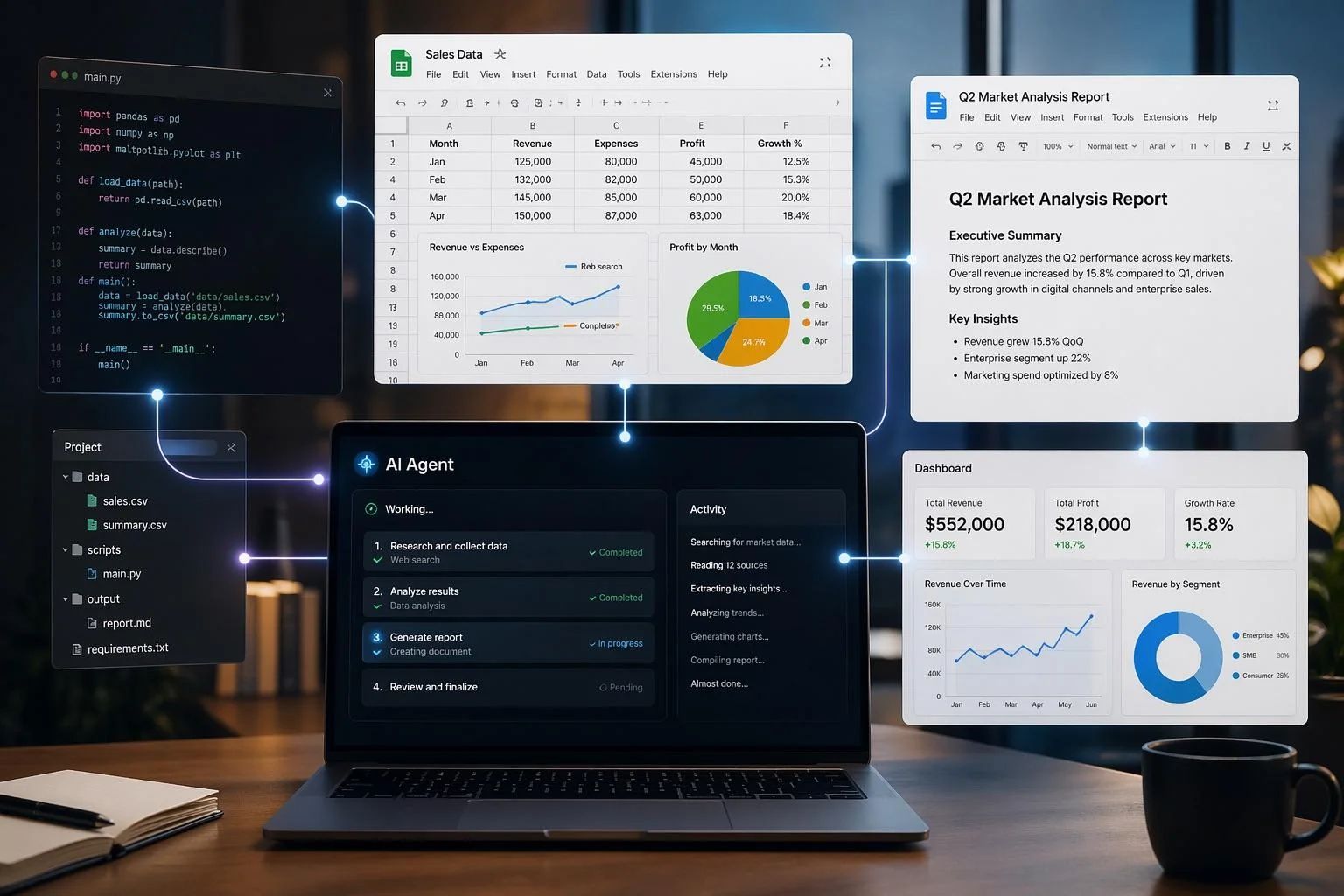
- Artifacts & Interactive Media: Generate interactive charts, HTML mockups, dashboards, and structured documents side-by-side.
- Task Planning & Delegation: Structure research outlines, summarize meeting transcripts, and break complex initiatives into multi-stage execution phases.
- System Integration via MCP: Connect Claude to external tools, local files, or internal databases using the open-source Model Context Protocol.

Practical Application & Step-by-Step Examples
Multi-Document Analysis and Report Synthesis
Claude processes multiple documents concurrently, making it effective for cross-referencing information. Learners looking to connect these digital skills to practical career paths can explore our student internship programs.
- Practical Scenario: Upload three vendor proposal PDFs into a single conversation thread.
- Execution Prompt:
- "Compare these three attached vendor proposals across pricing structures, SLA commitments, implementation schedules, and security compliance. Highlight key risk areas in a bulleted overview."
Executive Communications and Content Development
Drafting client updates or formal proposals requires clear structure and consistent tone.
- Practical Scenario: Convert raw bullet points from a team meeting into a client update.
- Execution Prompt:
- "Transform the attached meeting notes into an executive summary email for the client project sponsor. Maintain a professional tone, outline upcoming milestones, and request confirmation on the revised budget timeline."
Managing Initiatives with Claude "Projects"
The Projects feature allows users to establish central knowledge libraries for recurring workflows. Free accounts can create up to 5 projects, while paid tiers (Pro, Max, Ultra, Team, and Enterprise) leverage RAG-based knowledge retrieval across extensive document sets. To see live demonstrations of AI workflow management, join our interactive live expert masterclasses.
- Setup Procedure: Create a project labeled Q4 Product Marketing.
- Context Loading: Upload brand style guides, target customer personas, past campaign data, and product documentation into the Project Knowledge library.
- Operational Benefit: Conversations started inside that project draw from the pre-loaded knowledge base automatically, reducing repetitive prompt setup.
Generating Live Assets via Artifacts & Export Formats
When generating code, web page layouts, or structured documents, Claude opens a dedicated Artifact canvas alongside the main conversation window. Supported export formats depend strictly on the artifact type:
Artifact Type
Supported Export & Integration Formats
Docs
Word (.docx), PDF, Markdown (.md), Google Docs
Slides
PowerPoint (.pptx), PDF, Google Slides
Design
ZIP archive, PDF, PowerPoint (.pptx), standalone HTML
- Real-Time Iteration: Request adjustments in the chat window, and the visual preview panel updates immediately.
- Direct Export: Export files directly to your local computer according to the specific artifact format mapping above.
Integrating Systems via Model Context Protocol (MCP)
The Model Context Protocol (MCP) is an open-source standard designed to connect AI assistants to external environments.
- Permissions & Architecture: MCP is an underlying protocol, not an automatic built-in connector for all web users. To connect Claude to local files, databases, or third-party cloud tools, compatible MCP servers must be installed and configured (via developer setups or Claude Desktop), and users must explicitly grant runtime permissions for file reads or API calls. Note that third-party MCP data flows are independent of Claude's native workspace boundaries.
Master Prompting: The WeVersity 4D Workplace Framework
To achieve consistent results from Claude, we recommend structuring prompts using the WeVersity 4D Workplace Framework, our proprietary prompting model designed for structured workplace tasks:
Framework Pillar
Core Requirement
Practical Prompting Goal
1. Delegation
Assign Persona & Scope
Give Claude a specific role, authority level, and task boundary.
2. Description
Provide Context & Source Data
Supply background information, target audience details, and source files.
3. Discernment
Require Logic & Verification
Direct Claude to state its key assumptions, concise explanations, and verification checks.
4. Diligence
Define Output Structure
Specify exact output formatting (Markdown tables, bullet points, and exported documents).
Ready-to-Use Workplace Prompt Templates
Template 1: Executive Meeting Summary & Action Tracker
Role: You are an executive assistant.
Task: Analyze the attached meeting transcript and draft a concise executive briefing document.
Formatting Requirements:
- Executive Summary: 3 key highlights in bullet points.
- Action Items List: State the Task Description, Assigned Owner, and Target Deadline for each item.
- Open Discussion Points: Identify unresolved questions that require leadership decisions.
Constraint: Base your output exclusively on facts directly stated in the transcript. Provide a concise explanation of any key assumptions made.
Template 2: Competitor Data Analysis & Positioning
Role: Senior Competitive Intelligence Analyst.
Task: Review the attached competitor product spec sheets.
Instructions:
- Summarize key differences across feature sets, pricing tiers, and support SLAs.
- Highlight operational areas where our product holds a distinct technical advantage.
- Provide 3 actionable recommendations for sales positioning based on these gaps, outlining explicit verification steps to confirm competitive claims.
Template 3: Spreadsheet Formula & Error Debugger
Role: Lead Data Analyst.
Context: I am constructing a nested lookup formula in Google Sheets to merge customer records across two separate tabs.
Problem Statement: The current formula yields a #N/A error when matching customer IDs containing trailing space characters.
Task: Provide a corrected formula utilizing TRIM and XLOOKUP, state why the original syntax generated the error, and outline a simple verification check to ensure all rows match cleanly.
Enterprise Data Privacy, Security, and Quality Control
Data handling policies vary significantly depending on whether you use consumer or commercial account tiers:
Account Type
Model Training Policy
Security & Compliance Standards
HIPAA BAA Coverage Scope
Consumer Plans (Free, Pro, Max, Ultra)
Opt-In Choice (Chats are not used for training unless user explicitly opts in; exceptions apply for explicit feedback ratings & safety reviews)
Standard data encryption & operational log retention per Anthropic Privacy Policy
Not Eligible
Commercial Plans (Team, Enterprise, API)
Strictly Excluded (Zero training on customer inputs/outputs per Anthropic Commercial Terms)
SOC 2 Type II, ISO 27001, Admin Audit Logs, Single Sign-On (SSO)
Restricted Eligibility (Specific Enterprise & API products only, subject to Anthropic review & signed BAA per Anthropic Compliance Guide)
Details on Privacy & Security Policy
- Consumer Account Privacy Policies (Free, Pro, Max, Ultra): Under the Anthropic Consumer Terms and Privacy Policy, user inputs and outputs on consumer accounts are not used for training unless the user explicitly opts in via settings. However, specific operational exceptions exist: explicitly submitted feedback (e.g., thumbs-up/down ratings) and material flagged for safety or policy violations may be retained and reviewed under standard operational safeguards.
- Commercial Account Privacy (Team, Enterprise, API): Under the Anthropic Commercial Terms, customer inputs and outputs are strictly excluded from model training by default.
- HIPAA & Compliance Eligibility Scope: Per Anthropic Security & Compliance Documentation, Business Associate Agreement (BAA) coverage for HIPAA compliance is not automatically granted across all business accounts or features. BAA coverage applies strictly to specific eligible enterprise and API configurations after formal Anthropic review and execution of a signed BAA. Free, Pro, Max, Ultra, and Team plans are explicitly excluded from HIPAA BAA coverage. Furthermore, external connectors, unverified third-party MCP endpoints, and client-side plugins operating outside Anthropic's direct infrastructure boundary fall outside BAA coverage.
- Verifiable Security Certifications: Anthropic maintains independently audited compliance standards, including SOC 2 Type II and ISO 27001 certifications. Official compliance reports can be reviewed directly on the Anthropic Trust Center.
Managing Factual Integrity
While Claude performs well on document analysis tasks, applying these techniques helps verify output accuracy:
- Grounding Constraints: Append this directive to data prompts: "Base your response strictly on the text provided in the attached document. If an answer cannot be verified from the file, explicitly state 'Information not found in source document'."
- Verification Steps: Require the model to outline its assumptions and specify verification checks before relying on complex numeric calculations or legal summaries.
Key Takeaways
Understanding how to use Claude AI equips professionals to streamline administrative tasks, analyze complex documents, and prototype tools efficiently. For additional insights on technology skills and workplace strategies, explore the WeVersity Blog. By setting up workspace preferences, applying the WeVersity 4D Workplace Framework, leveraging projects and Artifacts, and following clear data security guidelines, teams can maximize productivity and maintain high operational standards.