
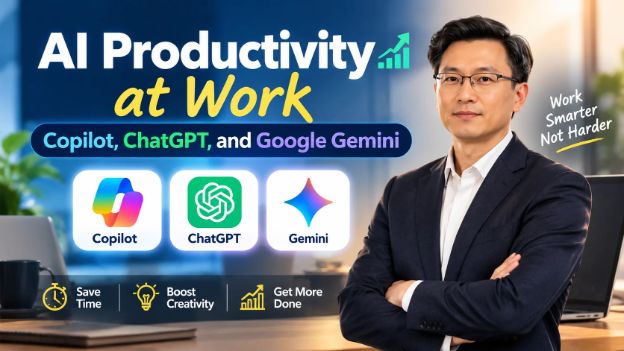
AI Productivity at Work: Copilot, ChatGPT, and Google Gemini
About Course
AI Productivity at Work: Copilot, ChatGPT, and Google Gemini is an advanced professional course designed to help office managers, workplace trainers, and professionals use leading AI tools to improve productivity, communication, decision-making, and everyday business workflows.
The course provides practical, workplace-focused training in Microsoft Copilot, ChatGPT, and Google Gemini, covering everything from advanced prompt engineering and AI-assisted document creation to data analysis, presentations, meetings, project management, automation, and AI agents.
Participants will learn how to use AI responsibly while maintaining data security, verifying AI-generated information, and following appropriate company policies and compliance practices. The course also explores workflow automation using tools such as Power Automate and Zapier, along with custom GPTs, Gems, and Copilot agents.
By the end of the course, learners will be able to design practical AI-powered workflows, standardize repetitive tasks, support teams with AI tools, measure productivity improvements, and develop an effective AI adoption strategy for their workplace.
This course is ideal for professionals who want to move beyond basic AI prompting and build practical, scalable AI productivity systems for real-world workplace environments.
Physical Class Details
Hybrid Learning Experience
E-commerce Hub of New York & Live Google Meet
Skill Center Location
Total Sessions
2
Duration/Session
60 min
Per Session Price
$10.00
Base Course Price
$99.00
Sessions Fee (2 × $10.00)
$20.00
Total Price
$119.00
What Will Students Learn?
- Understand the strengths, limitations, and workplace applications of ChatGPT, Microsoft Copilot, and Google Gemini.
- Write advanced prompts for professional and business tasks.
- Use AI to draft, edit, summarize, translate, and analyze emails and documents.
- Apply AI to Excel and Google Sheets for formulas, data cleaning, analysis, charts, and insights.
- Create presentations, reports, dashboards, and recurring workplace content with AI assistance.
- Use AI for meeting preparation, notes, action items, project planning, and team collaboration.
- Build practical AI-powered workflows using Power Automate and Zapier.
- Understand and use custom GPTs, Gems, and Copilot agents.
- Connect AI tools with workplace files and applications where appropriate.
- Verify AI-generated information and apply responsible AI, privacy, security, and compliance practices.
- Assess team AI readiness and support AI adoption within an organization.
- Design a practical department-wide AI productivity rollout as a capstone project.
Materials Included
- 36 structured video lessons
- Workplace AI prompt examples
- Reusable prompt templates and prompt libraries
- Practical workplace AI workflows
- AI productivity exercises
- Document, email, spreadsheet, and presentation examples
- Automation workflow examples
- AI agents and custom AI assistant examples
- Workplace AI security and compliance guidelines
- Capstone project: Department-Wide AI Productivity Rollout
- Course completion certificate
Requirements/Instructions
- Basic computer and workplace software knowledge is recommended.
- Familiarity with email, documents, spreadsheets, and presentations will be helpful.
- Basic knowledge of ChatGPT, Copilot, or Gemini is recommended but not mandatory.
- Learners should have access to a computer with a stable internet connection.
- Some AI features, Microsoft 365 tools, Google Workspace features, Power Automate, Zapier, and AI agents may require separate accounts or paid plans.
- Do not upload confidential, sensitive, or proprietary company information to AI tools unless your organization's policies explicitly allow it.
- Always verify important AI-generated information before using it in professional work.
- Complete the practical activities and capstone project to get the maximum benefit from the course.
Target Audience
- Office Managers
- Workplace Trainers
- Team Leaders and Supervisors
- Business Professionals
- Administrative Professionals
- Project Coordinators and Managers
- HR and Operations Professionals
- Digital Workplace Professionals
- Professionals who want to implement AI in their daily workflows
- It is especially suitable for professionals who already have basic familiarity with AI tools and want to move toward advanced workplace applications and automation.
Course Content
- Copilot vs ChatGPT vs Gemini: strengths and fitPreview
- Setup, permissions, and security settingsPreview
- Advanced prompt engineering for the workplacePreview
- Context, memory, and custom instructionsPreview
- Verifying AI outputPreview
- Company data and compliance guardrailsPreview
- Modern AI Workspace Foundations CheckPreview
- AI Workplace Readiness PackPreview
- Inbox management and email draftingPreview
- Report, memo, and proposal creationPreview
- Editing, summarizing, and rewriting at scalePreview
- Templates and reusable prompt librariesPreview
- Translation and cross-team communicationPreview
- Document analysis and Q&APreview
- Writing and Document Workflow CheckPreview
- Smart Document Workflow ProjectPreview
- Excel and Sheets formulas with AIPreview
- Data cleaning and analysisPreview
- Charts and insight generationPreview
- Slide decks from raw notesPreview
- Dashboards and recurring reportsPreview
- Presenting data persuasivelyPreview
- Data and Presentation Skills CheckPreview
- Data-to-Decision Presentation ProjectPreview
- Meeting preparation and agendasPreview
- Live notes, summaries, and action itemsPreview
- Project plans and status reportingPreview
- Task prioritization and calendar managementPreview
- Team knowledge basesPreview
- Cross-functional collaboration workflowsPreview
- Collaboration and Meeting Productivity CheckPreview
- Team Collaboration System ProjectPreview
- Workflow automation with Power Automate and ZapierPreview
- Custom GPTs, Gems, and Copilot agentsPreview
- Connecting AI to files and appsPreview
- Research workflows and deep research toolsPreview
- Standardizing team processesPreview
- Troubleshooting and improving promptsPreview
- Automation and Agents Skills CheckPreview
- Team Automation and AI Agent ProjectPreview
- Assessing team AI readinessPreview
- Designing workplace AI training sessionsPreview
- Change management and adoptionPreview
- Measuring productivity gainsPreview
- Policy, ethics, and shadow-AI riskPreview
- Capstone: department-wide AI productivity rolloutPreview
- Leading AI Adoption Skills CheckPreview
- Capstone Project: Department-Wide AI Productivity Rollout PlanPreview
Earn a certificate
Add this certificate to your Resume/CV to demonstrate your skills & increase your chances of getting noticed.
Join WeVersity Live Sessions and learn in real time from qualified coaches. Get practical guidance, ask questions, and build your skills through interactive learning. You can also choose to attend in person at the host Skill Center for an even more hands-on experience if offered by the coach.
Session Schedule
- Expert
- 0 students
- Certificate of completion